Staff Mobility – Reservations Landing Page
Staff Mobility - Reservations is enhanced for the addition of a new search screen that allows users to view and search for reservations made at the property for a selected date. The Search screen allows users to filter and display the reservations at the property. The Search screen now has the following options.
Date Picker - The date picker allows users to select a single date. By default, the current date will be displayed in this field. Users can view the reservations made for the day as well as search for reservations beyond the current property date.
Search Bar - The search bar allows users to search for reservations based on any of the following criteria:
-
Reservation confirmation number
-
First name
-
Last name
-
Last name, First name
-
Phone number
-
Email ID
-
Room number
Tapping on Go allows users to proceed to the next page. Tapping on Reset resets the search bar and search results and takes the user back to the first screen.
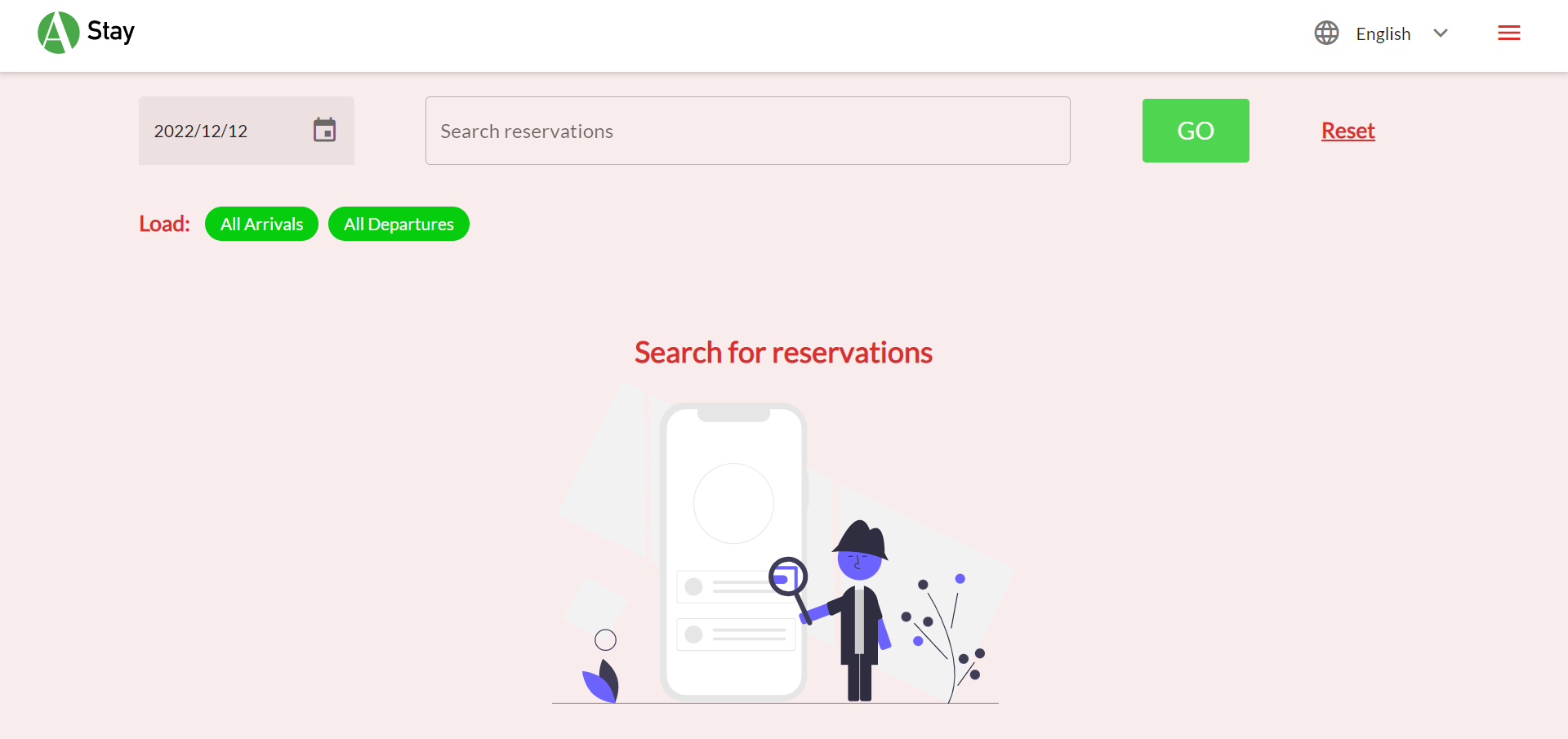
Load - The Load option helps users to choose the reservations to be displayed for the selected date. The following two options are available to load:
-
All Arrivals - Tap on this option to load all arrivals on a particular day based on the current reservation status.
-
All Departures - Tap on this option to load all departures on a particular day based on the current reservation status.
Search Filters - The search filters are displayed on the left side of the screen after search results are loaded. The search filters can be categorized to the following 3 options within which there more search filters:
-
Reservation Status
-
Arriving
-
Cancelled
-
Departed
-
Departing
-
In House
-
Moved
-
No Show
-
Reserved
-
-
Web Status (Will be displayed only if the property has enabled web check-in/check-out)
-
Web Check In
-
Web Check Out
-
-
VIP Status (All active VIP statuses will be displayed when they are configured in Stay)
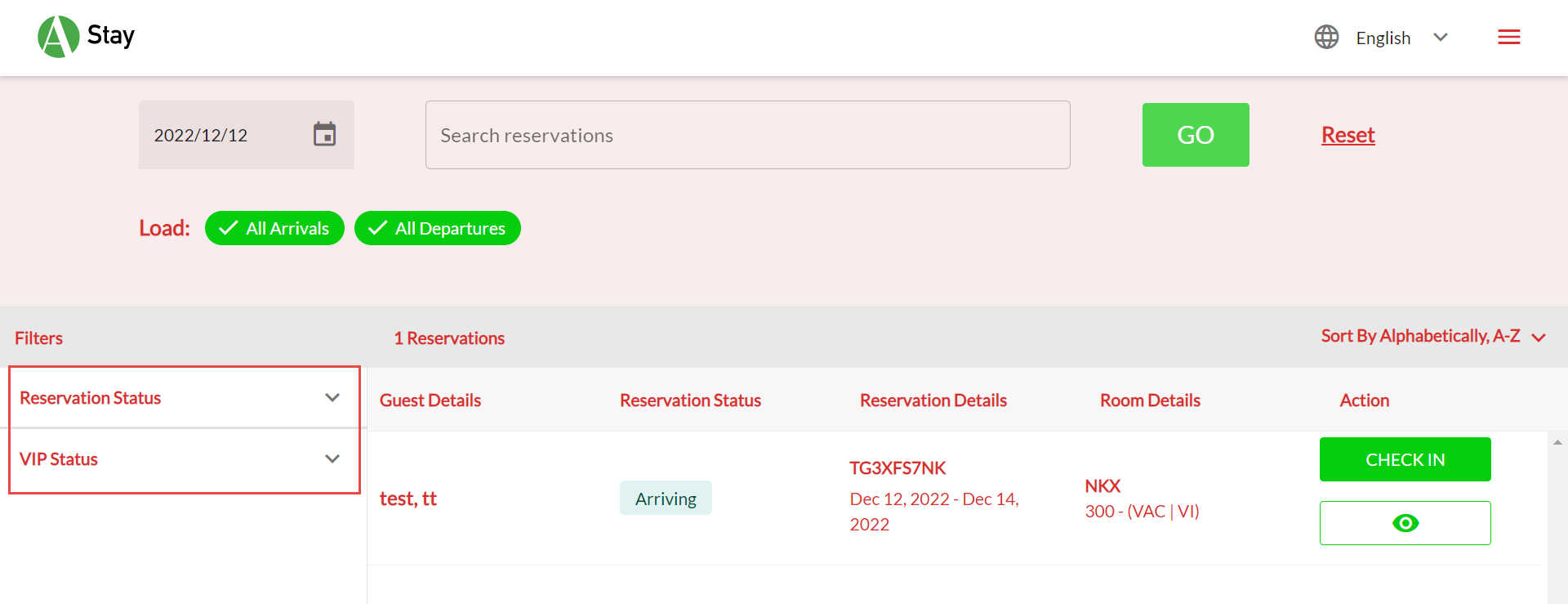
Search Results
The following details are displayed in the search results section:
-
The total number of reservations found based on the search criteria
-
Sorting options - By default, results are sorted in the ascending alphabetical order.
-
Search results display the following details for a reservation:
|
|
|---|---|
|
|
|
|
|
|
|
|
|
|